Install ARI-OS
ARI-OS installs on top of Claude Code. It does not replace it. It adds an orchestrator-first layer and a local memory brain called Cortex. Every change it makes is backed up first, so the whole install is reversible. AI accelerates, it does not generate.
If you want a one-line overview of what ARI-OS is before you install, read the overview.
Clone and install
Clone the repository, enter it, and install the package in editable mode.
git clone https://github.com/PUSHINGSQUARES/ARI-OS
cd ARI-OS
uv pip install -e .
If you do not use uv, plain pip install -e . works the same way. For the optional media features, install the extra group with pip install -e '.[media]'.
Run the installer
The installer is a Python module. Run it as a module, not as a script.
python3 -m ari_os.install
The wizard accepts the following flags:
--llm ollama|api|offsets how recall is powered. The default isollama.--earsenables the optional listening surface.--lensenables the optional vision surface.--no-mcpskips automatic MCP registration.--dry-runshows what would change without writing anything.--updatere-applies the latest managed files.--revertrolls the managed changes back.--uninstallremoves everything ARI-OS placed.--purge-keysclears stored keys, used together with uninstall.
What it installs
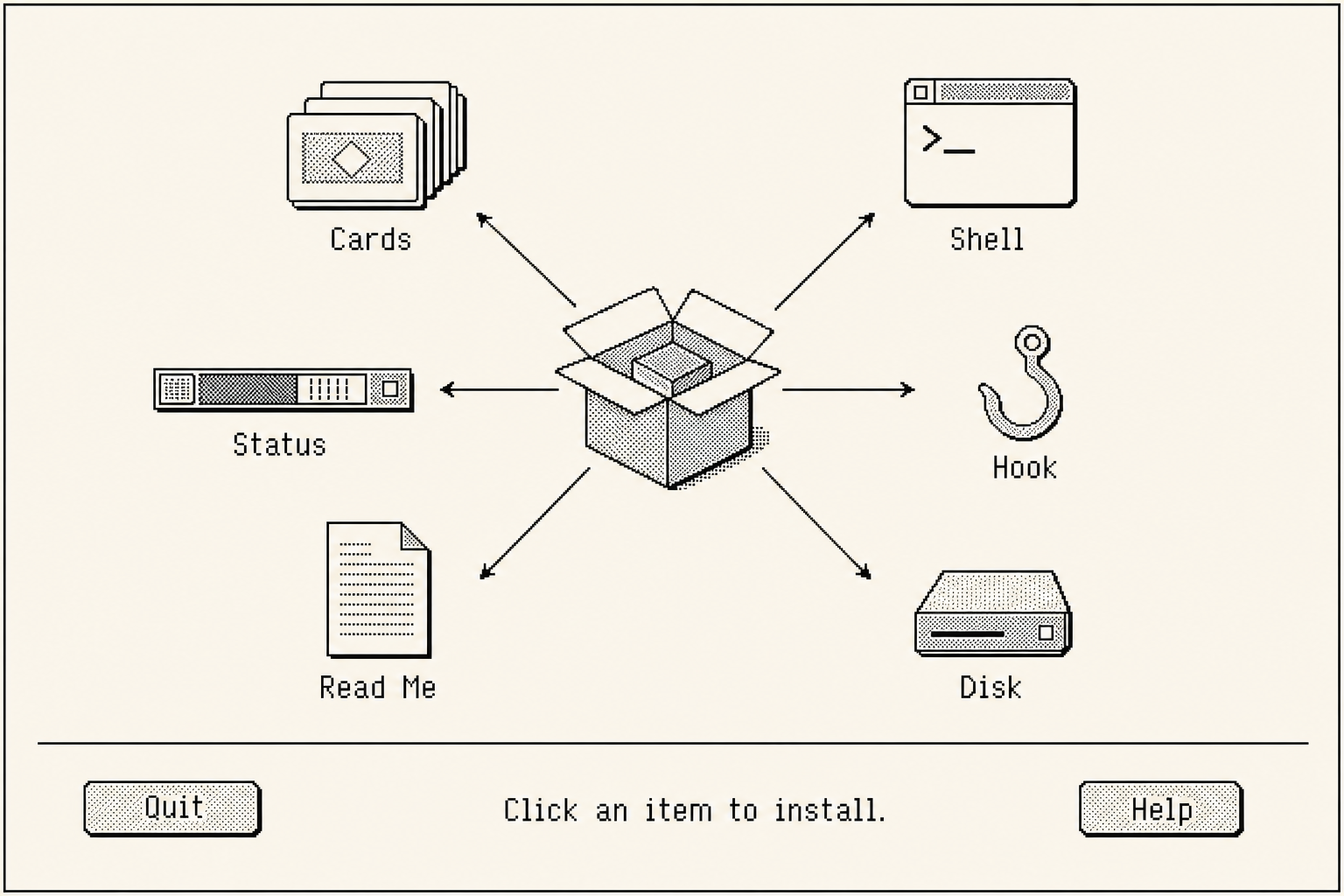
The installer writes a small, predictable footprint. It places:
- 10 skills into
~/.claude/skills/<name>/SKILL.md. - 10 command shims into
~/.claude/commands/<name>.md. - A statusline in
settings.json. - A SessionStart hook.
- A managed block in your
CLAUDE.md. - An empty brain database at
~/.ari-os/brain.db. - Timestamped backups in
~/.ari-os/backups/<timestamp>/.
Everything it touches is captured in a backup first. Nothing is overwritten without a copy being kept.
Connect the memory (MCP)
Cortex is the local memory brain. The installer connects it for you. MCP auto-registration is on by default, so you do not need to do anything here. Pass --no-mcp if you would rather wire it up yourself.
When auto-registration runs, it registers a server named ari-os-cortex into ~/.claude/.mcp.json, ~/.codex/config.toml, and ~/.gemini/settings.json.
To add it by hand, run:
claude mcp add ari-os-cortex -- python -m ari_os.tools.cortex.mcp_server stdio
There is more on how the brain works in the brain page.
Keys
Keys are read from environment variables first, and then from the macOS Keychain under the service com.ari-os.keys. They are never printed. This is the same principle as the rest of the install: nothing destructive, nothing leaked, and every action reversible.
Verify
Run the test suite, then open the monitor.
python3 -m pytest -q
python3 -m ari_os.tools.monitor
The monitor opens at http://localhost:7777. If the tests pass and the monitor loads, the install is healthy.
Reversible
Every change is backed up first, so you can move forwards or backwards at any time.
python3 -m ari_os.install --updatere-applies the latest managed files.python3 -m ari_os.install --revertrolls the managed changes back.python3 -m ari_os.install --uninstallremoves everything ARI-OS placed. Add--purge-keysto also clear stored keys.
The install is backed up and reversible. You can always go back.
FAQ
- What do I need?
- Claude Code. ARI-OS sits on top of it and adds the orchestration layer and the local memory brain.
- Can I remove it cleanly?
- Yes. Run python3 -m ari_os.install --uninstall. It is backed up and reversible.
- Where do my keys live?
- Environment variables first, then the macOS Keychain under the service com.ari-os.keys. They are never printed.
- Do I need Ollama?
- It is optional. Without it, recall falls back to a ranked keyword search and the brain still works.
ARI-OS is version 2.0.0, released under the PolyForm Noncommercial licence.
Next, learn how to drive it in using it.
//